Sluis Workspace, redesigned
A redesigned Workspace, new ways to sign in securely, retention you choose, and more control over MCP tools, workloads and the audit log.
- New
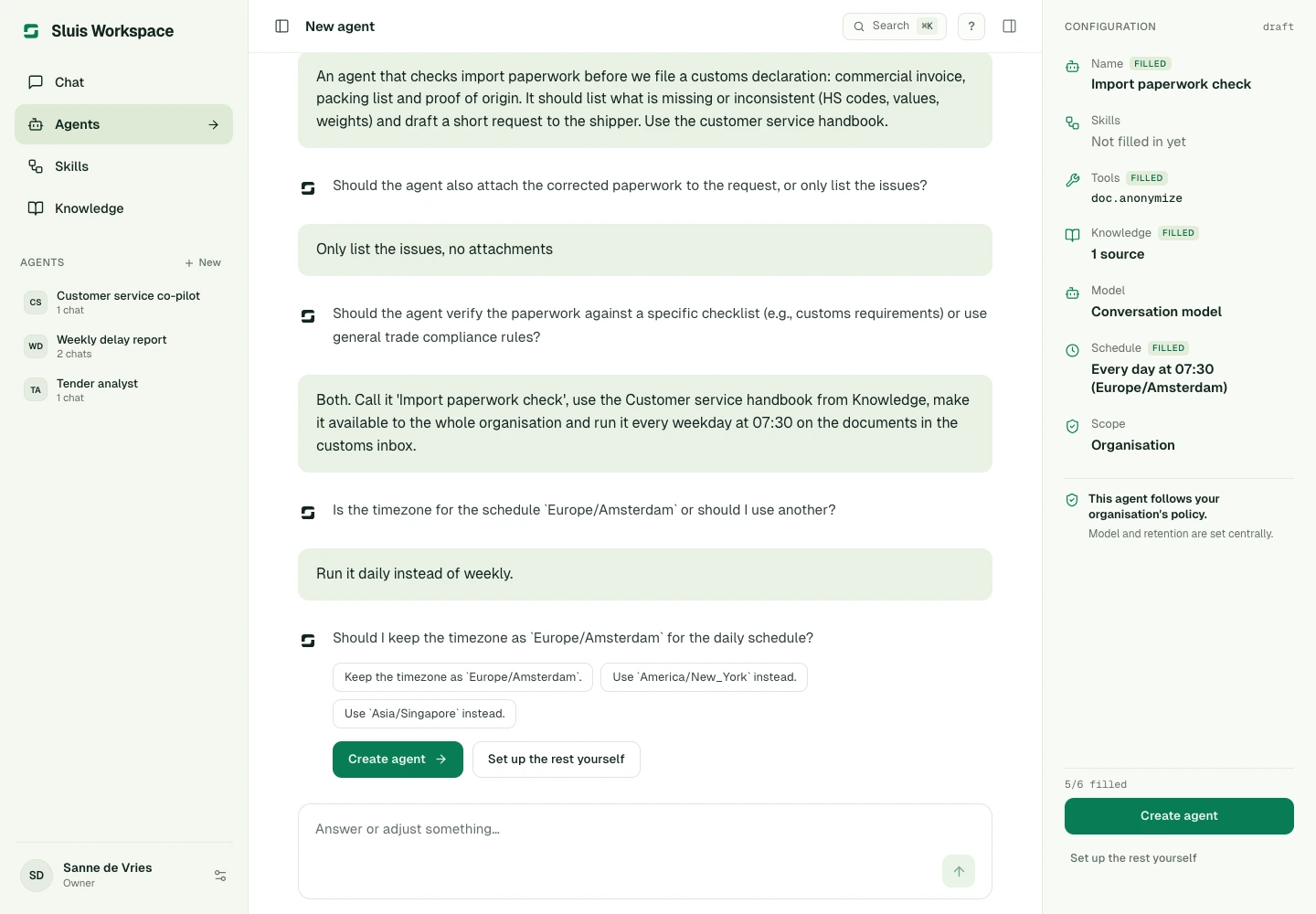
A redesigned Sluis Workspace
Build agents and Skills by describing them in chat, and change them later the same way. Workspace can remember what you share, saves your work as you go, starts a fresh chat when you open Chat and lets you stop an answer while it runs.
- New
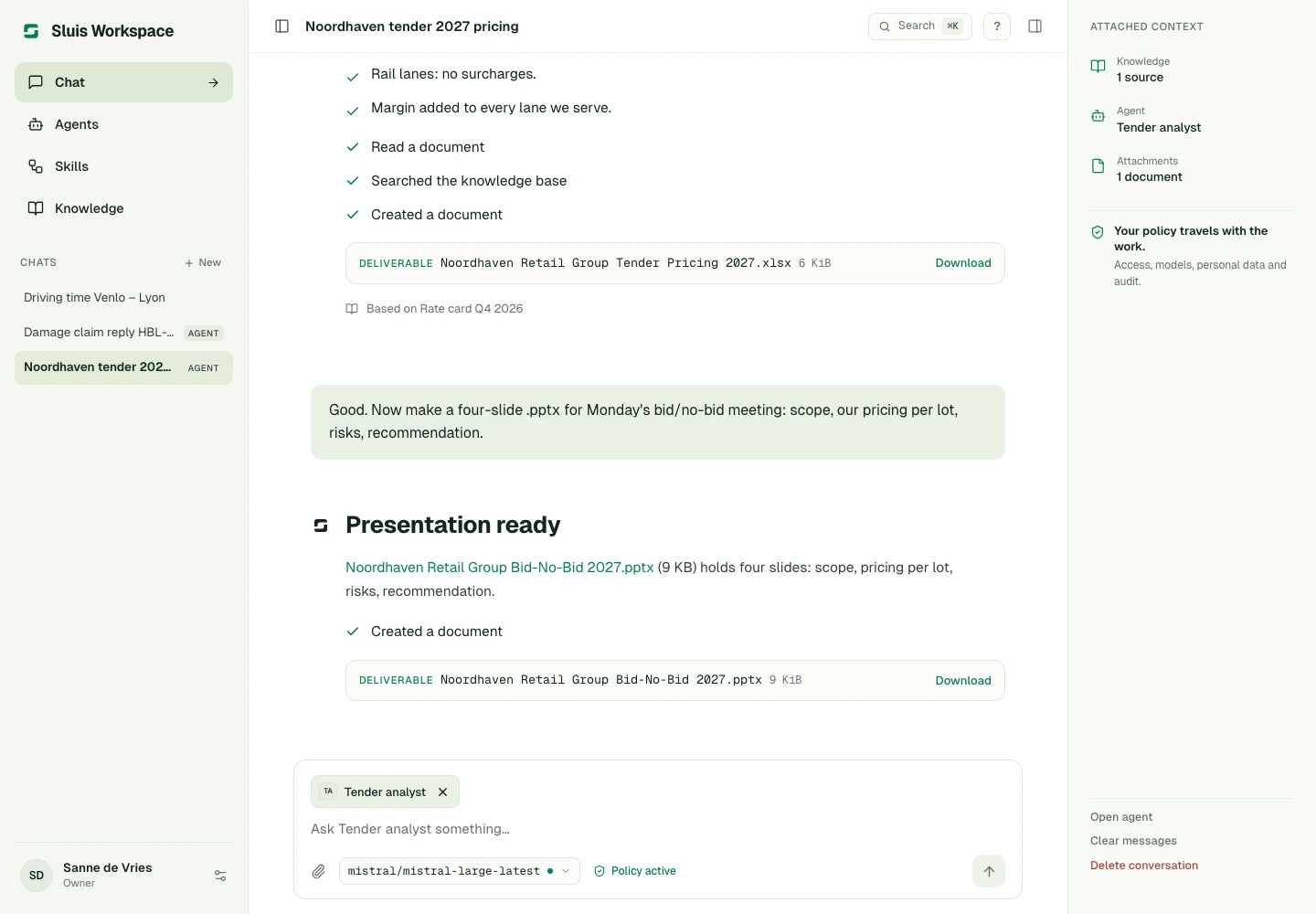
Spreadsheets and presentations
Upload spreadsheets and presentations in chat and Knowledge, and have agents create new ones for you.
- New
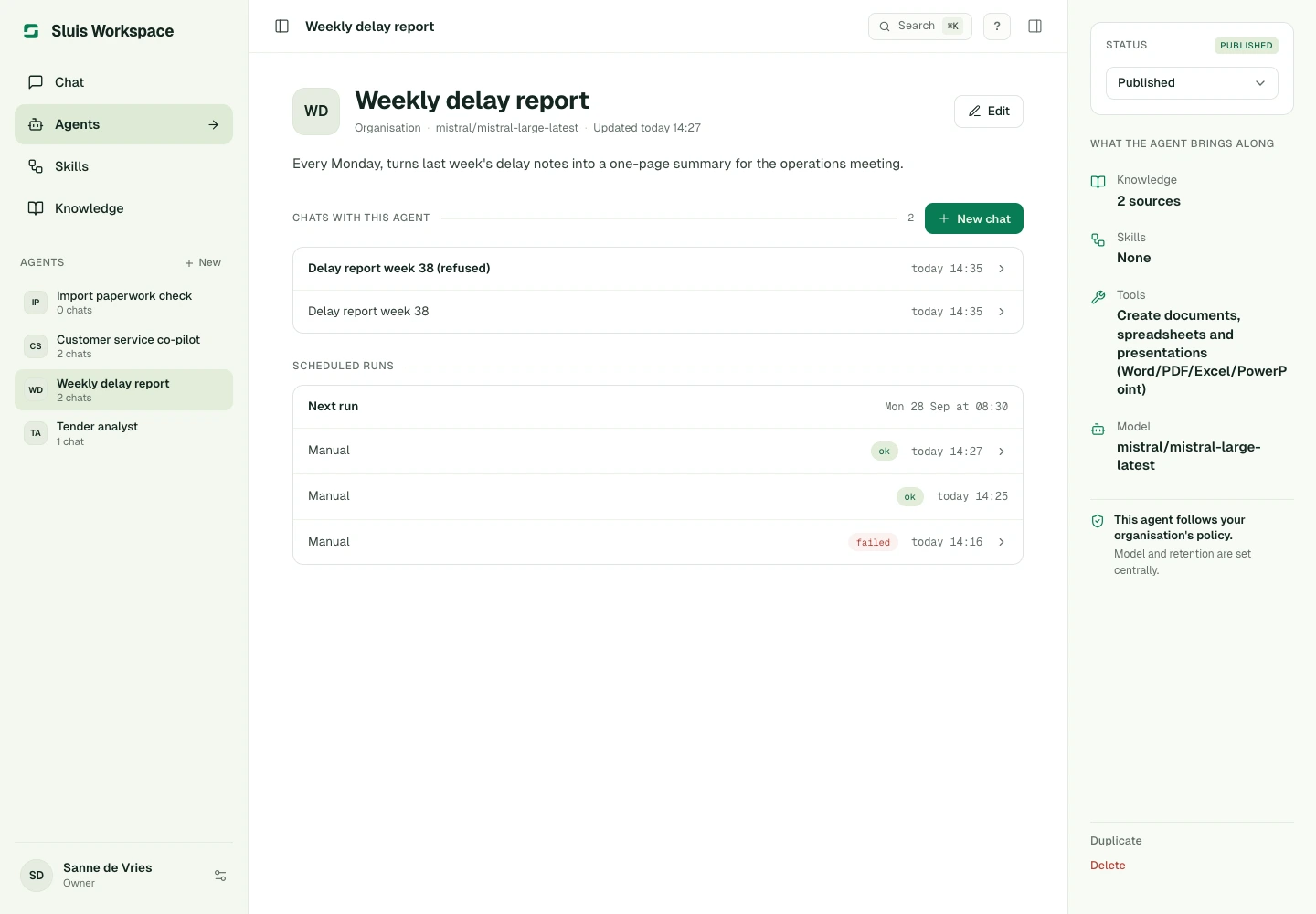
Scheduled agents and sub-agents
An agent you create in chat can be scheduled straight away, as often as every 15 minutes. Agents can hand work to sub-agents, which administrators control for the organisation.
- New
Continue with Microsoft
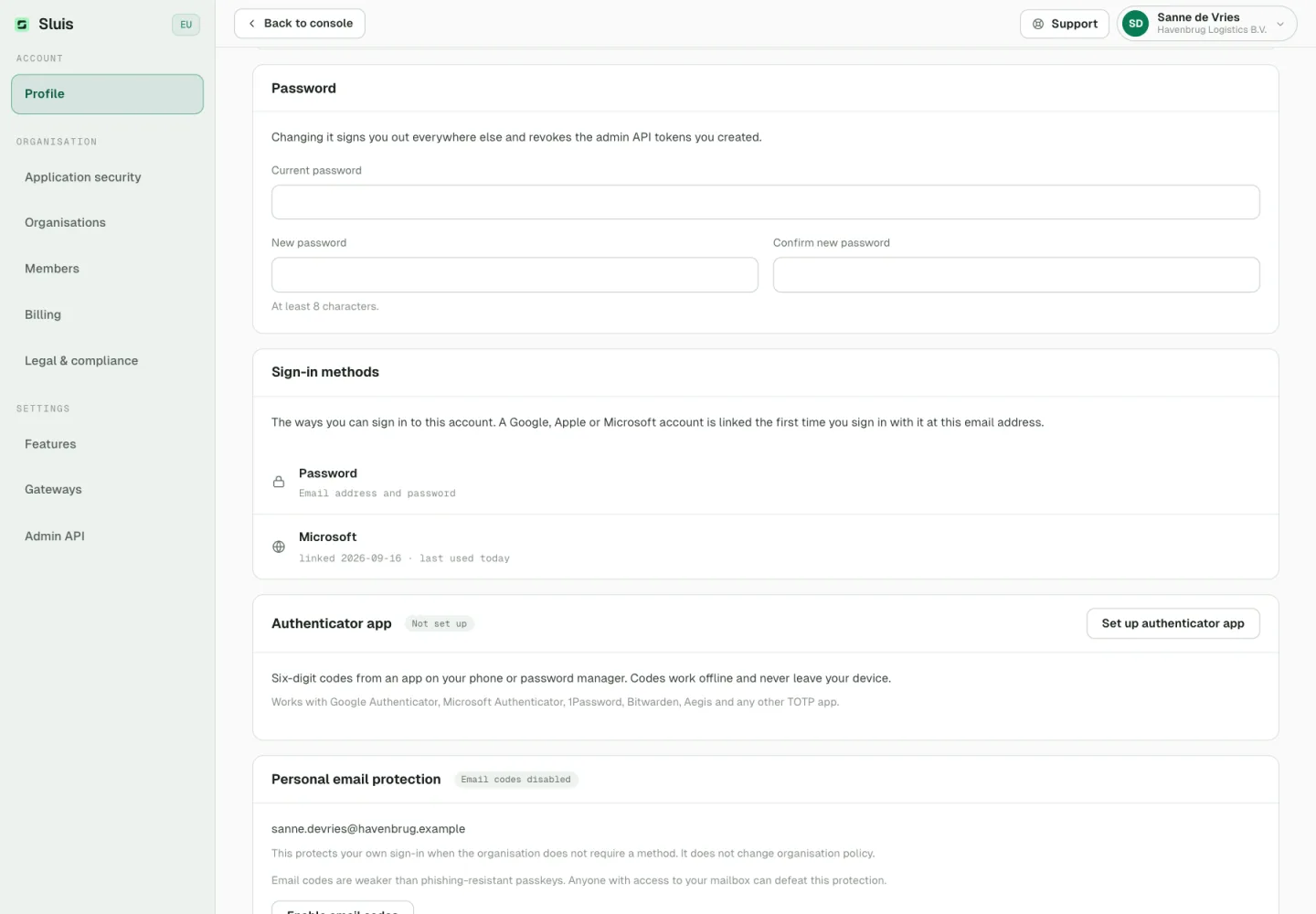
Sign in with your Microsoft work or school account, next to Google and Apple.
- New
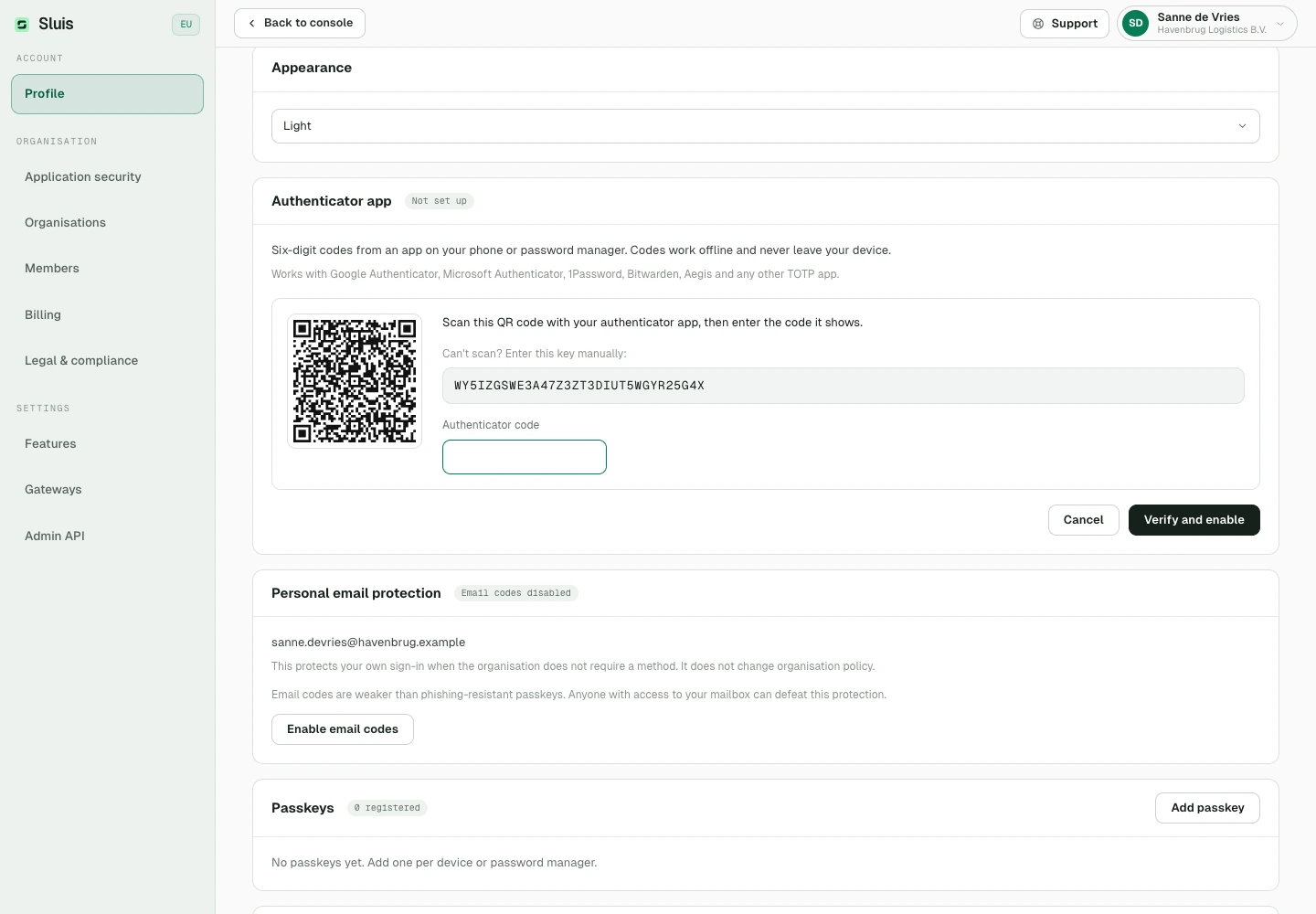
Two-factor with an authenticator app
Use an app such as Google Authenticator or 1Password as your second factor, and require it for the whole organisation if you like.
- New
Your sign-in methods and password
Profile lists every way you sign in and when each was last used, and signing in with Google, Apple or Microsoft no longer replaces another one. You can change your password there too, which signs you out everywhere else.
- New
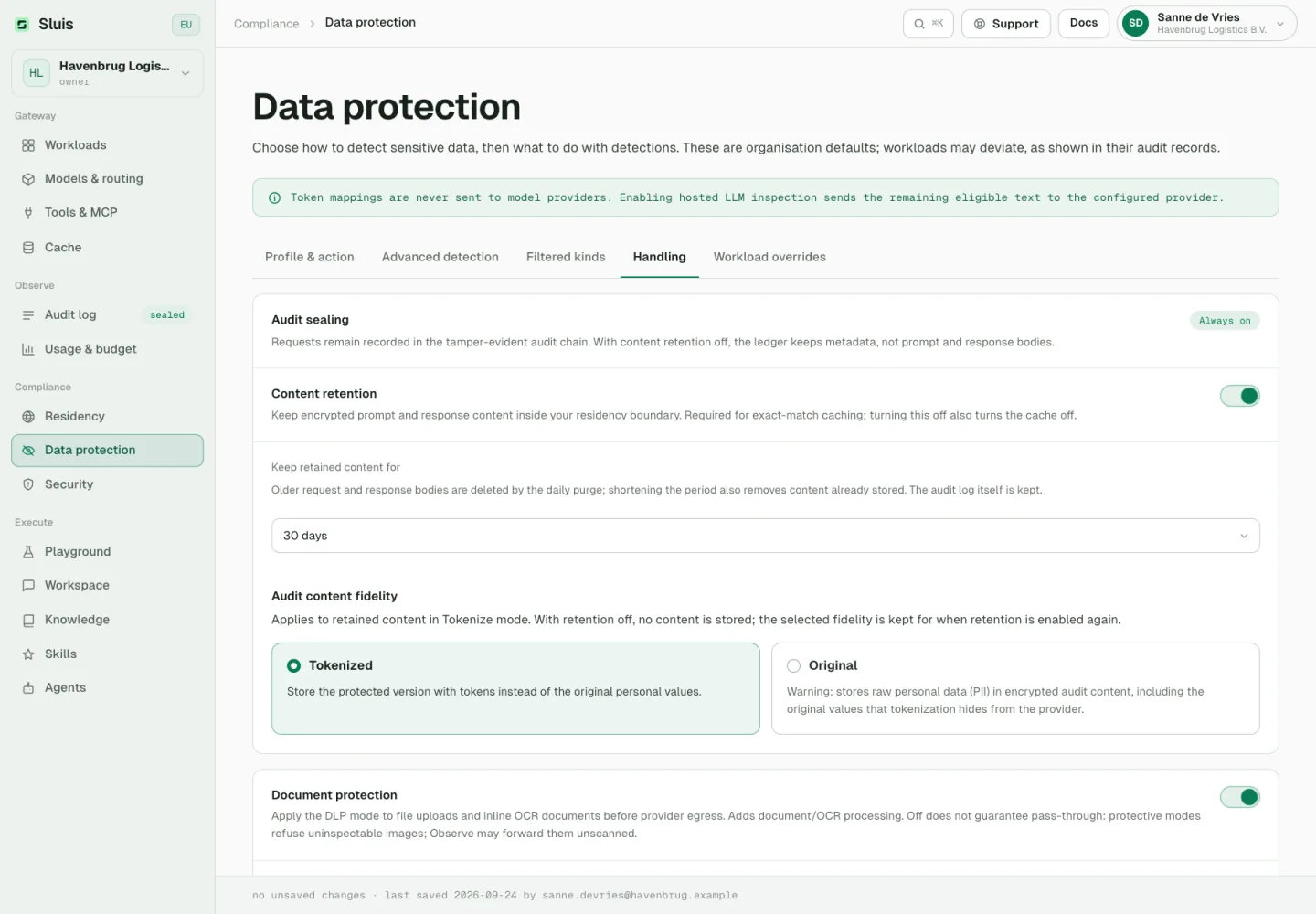
Choose how long data is kept
Set how long request content is kept under Data protection, 30 days by default, and how long personal details in chats and whole conversations are kept in Workspace settings. New periods also apply to what is already stored.
- New
MCP tools with your own account
Members connect MCP tools with their own sign-in, and can request a private server that an administrator approves.
- New
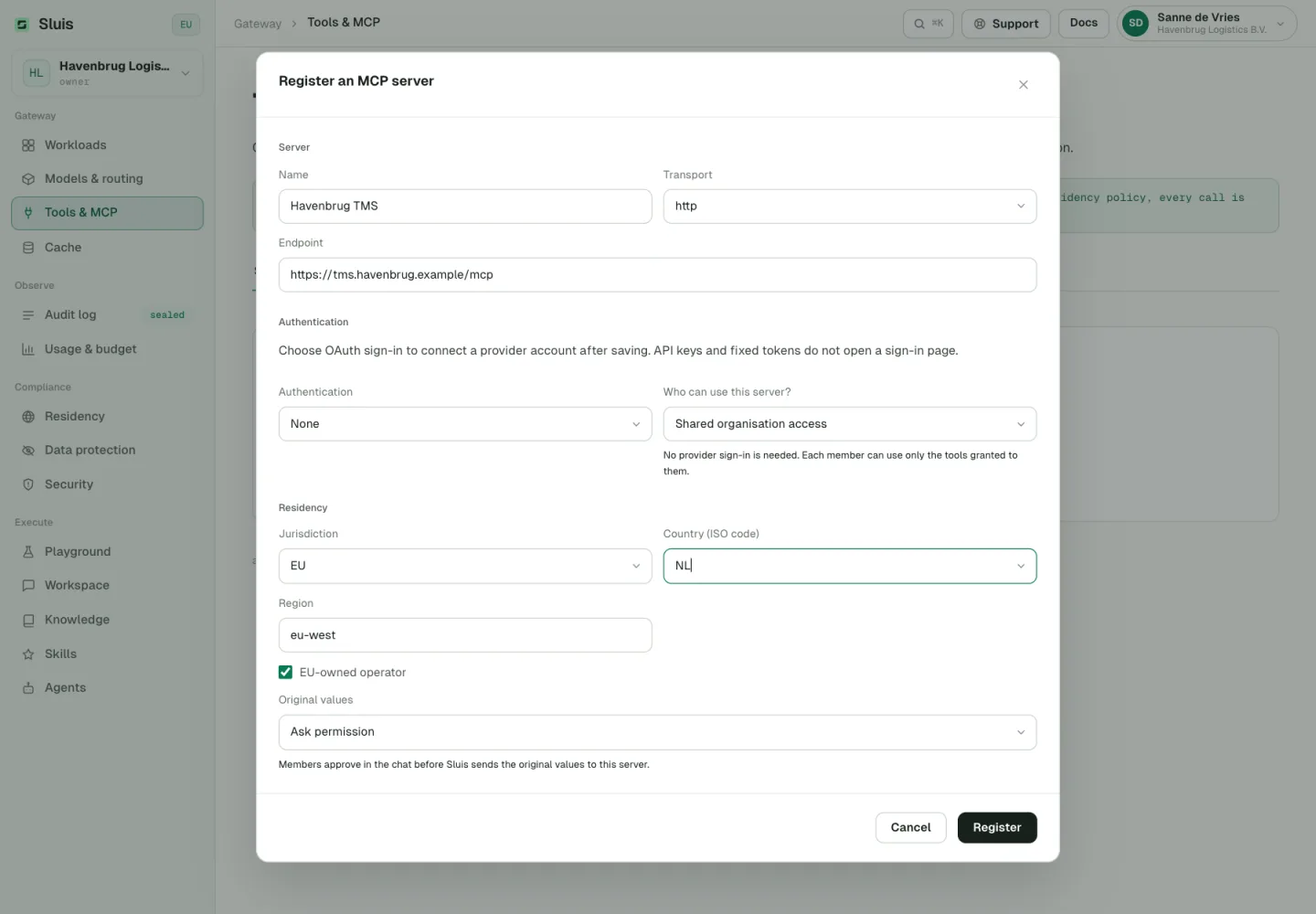
Decide what MCP servers may see
Mark each MCP server as trusted, ask permission or not trusted. A trusted server receives the real values behind masked details in tool calls; with ask permission, members approve that in the chat first. The AI model still sees only placeholders, and servers you already had stay not trusted until you change them.
- New
Connect MCP clients by signing in
MCP clients reach your Sluis agents once you sign in and approve, with no key to copy. Revoke a connected client at any time.
- New
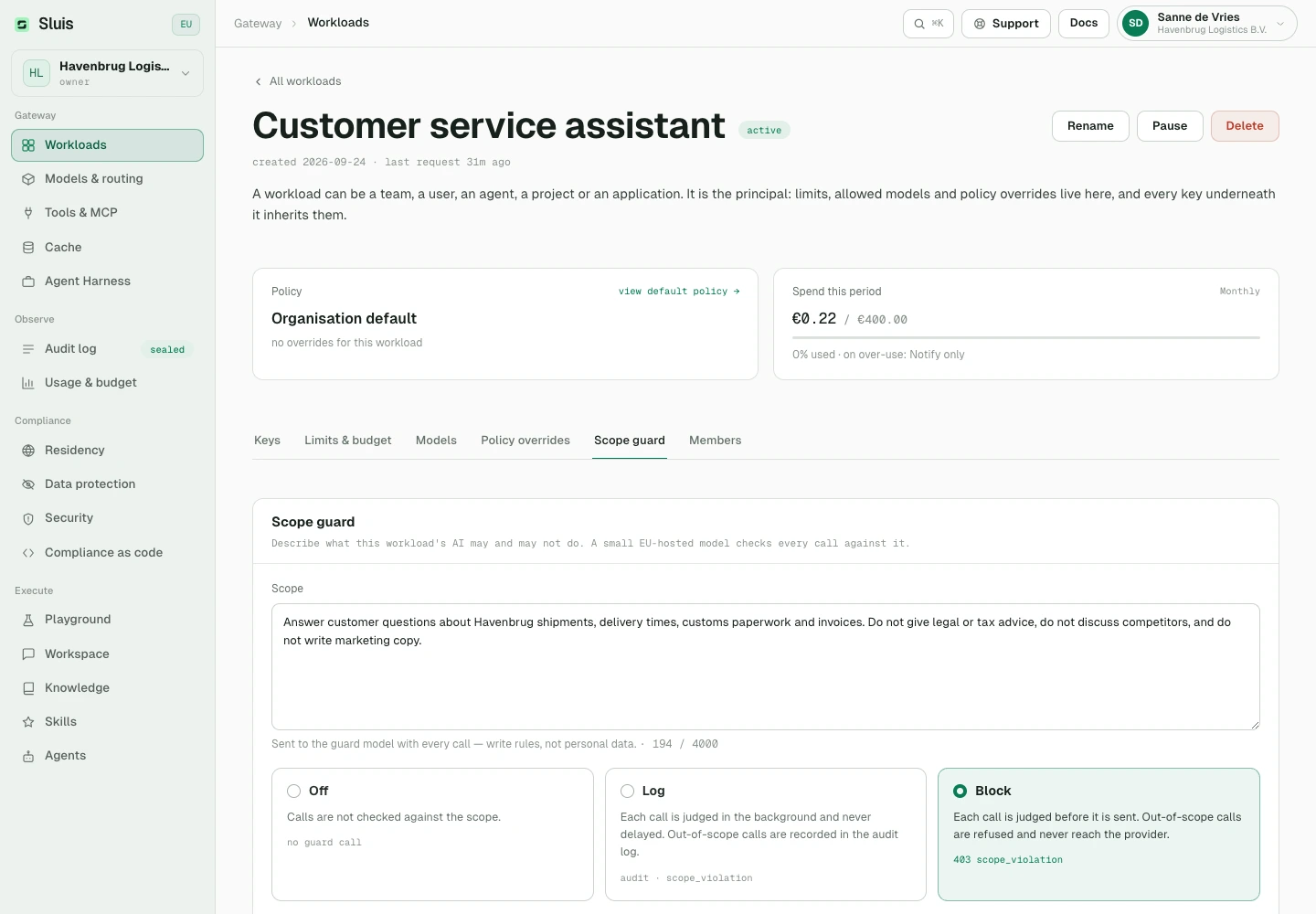
Scope guard and answer timeout per workload
Describe what a workload is for; a small model checks each request against it and blocks or logs what falls outside. You also set how long it waits for a provider’s answer.
- New
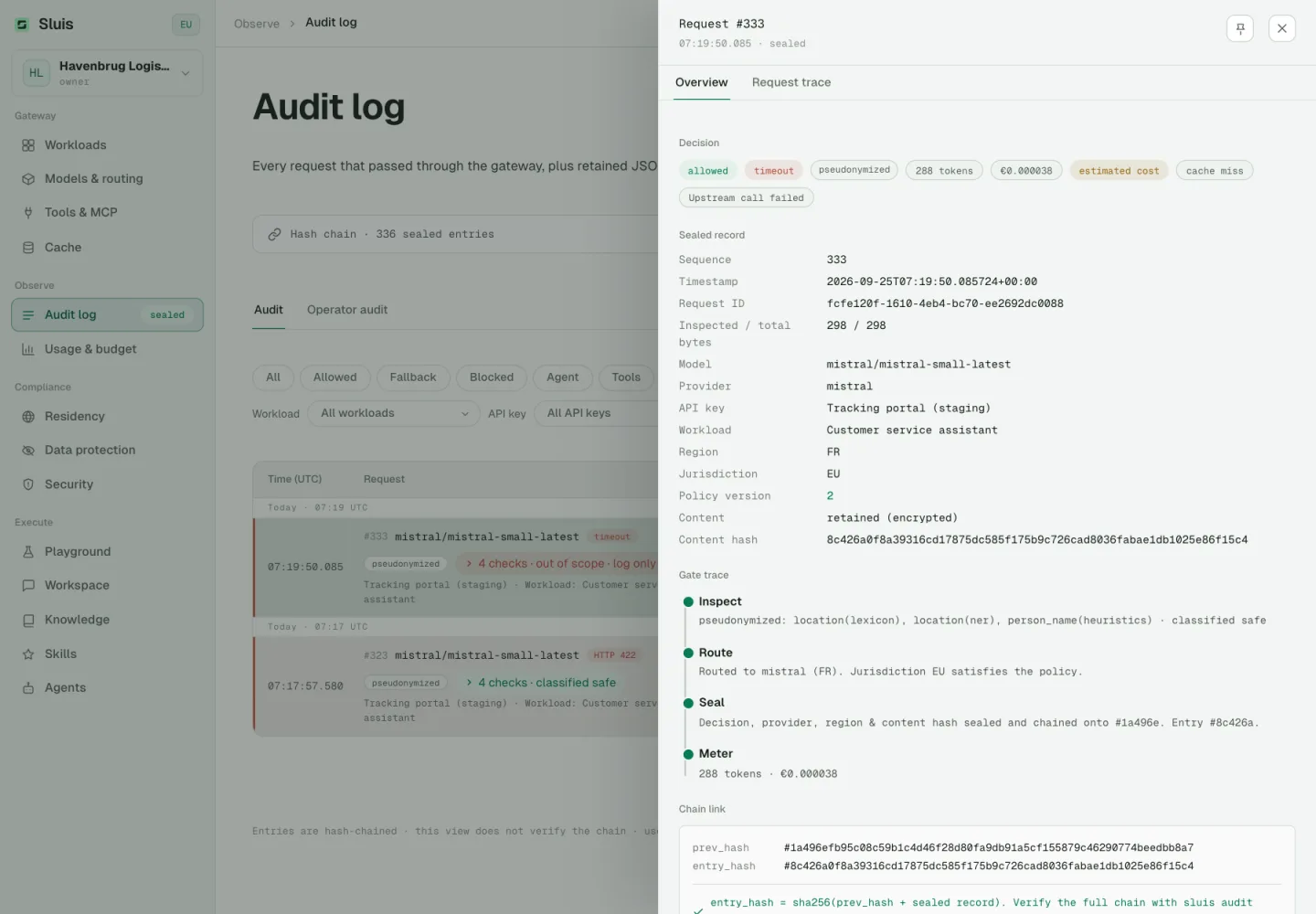
Follow requests live in the audit log
Watch a request move through inspection, sending and the streamed answer, including any retries, until it is sealed. The Failed filter shows calls that went wrong and why.
- New
Sluis Workspace 0.3.0 apps
The iPhone, iPad, Android, Mac and Linux apps are now called Sluis Workspace and bring the redesigned Workspace. On iPhone, iPad and Android you can sign in with Apple, Google or Microsoft right in the app.
- New
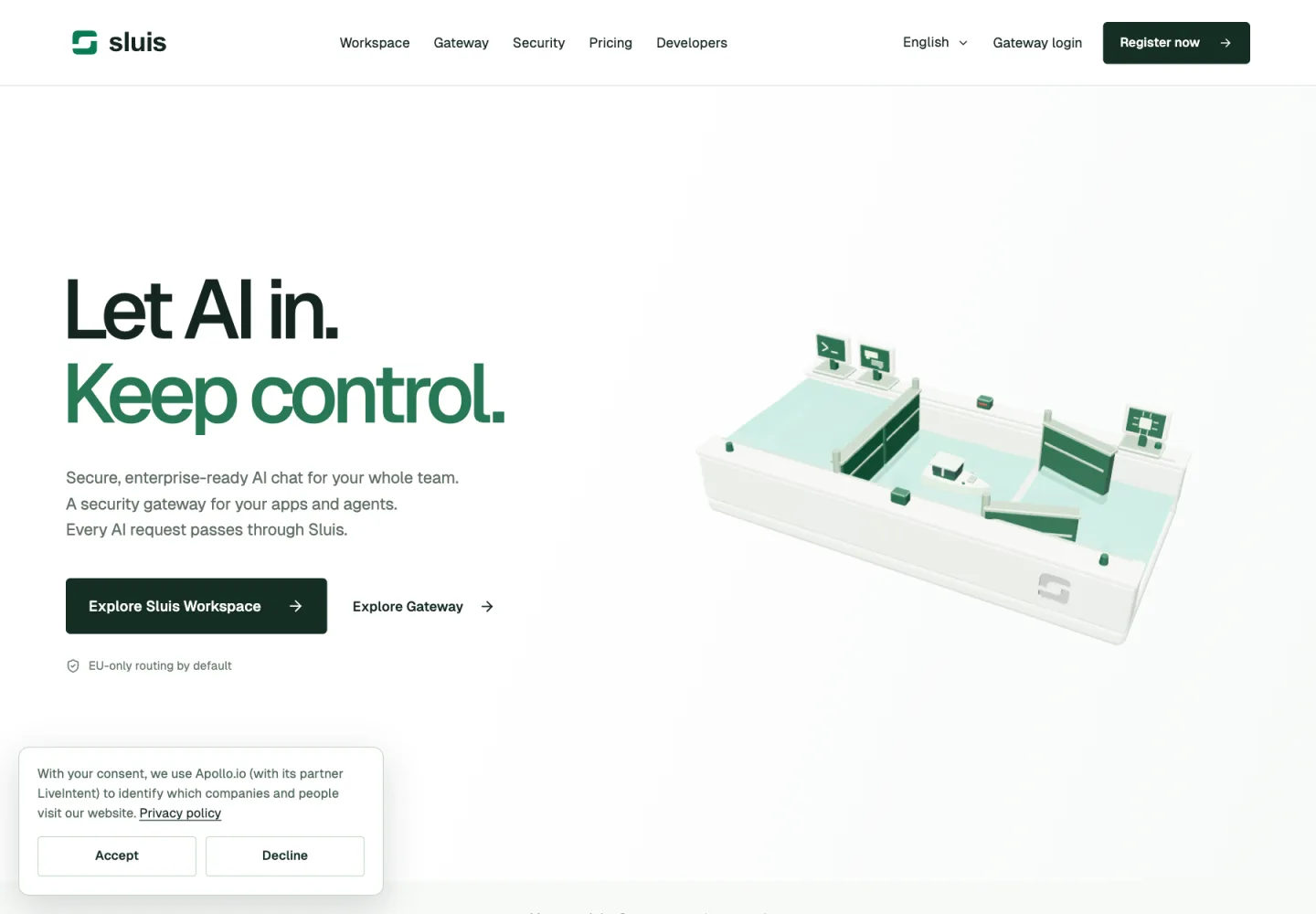
Cookie choices on sluis.ai
Our website loads analytics only after you accept, and Cookie settings in the footer lets you change your mind at any time. The updated privacy policy explains this; you accept it once more on your next console visit.
- New
Practical guides
Five guides for the people who sign off on AI, from the AI Act to personal data in prompts, at sluis.ai/guides.
- Improved
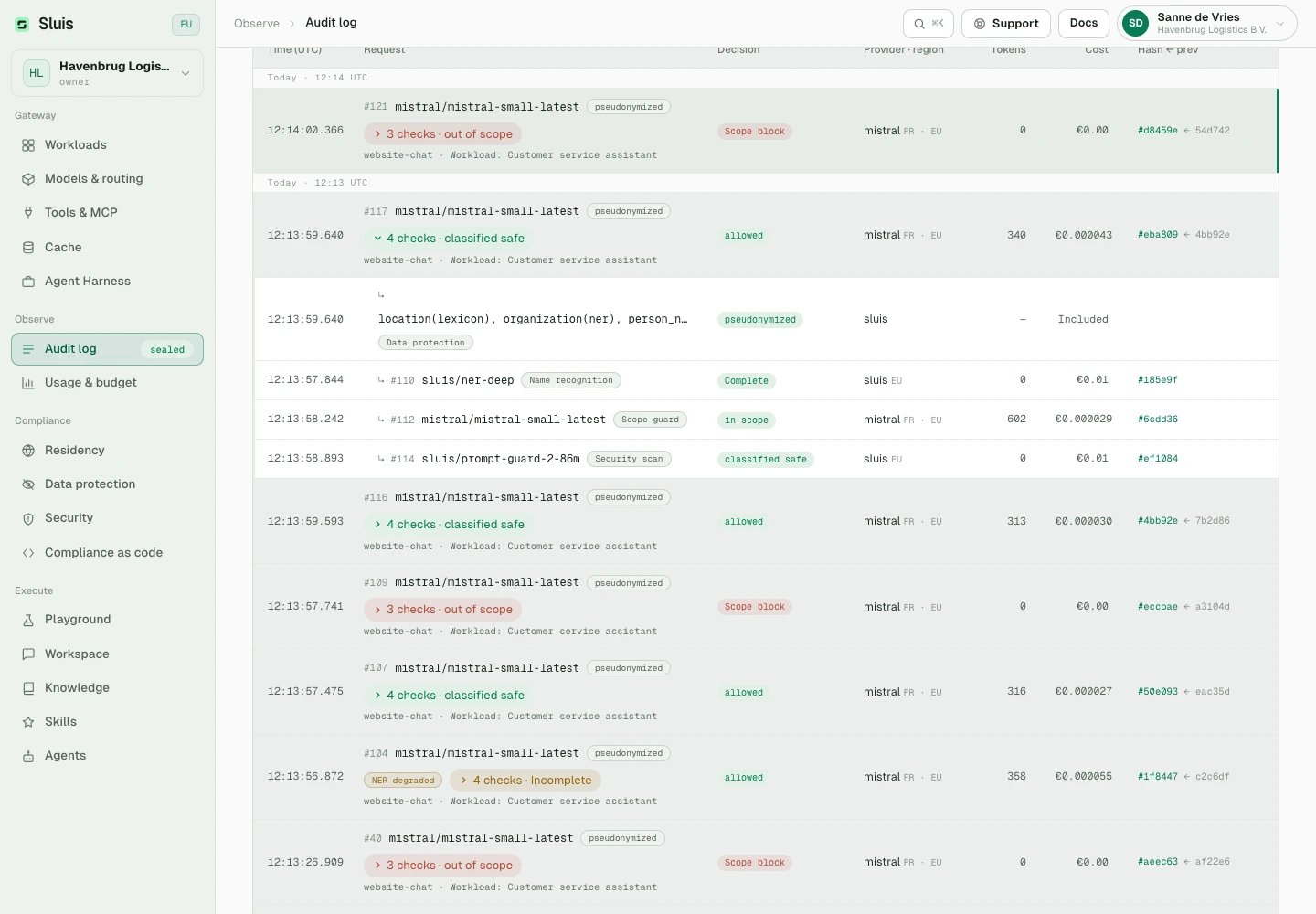
An audit log grouped per request
Every step of a request sits together, including each data protection check and every tool call next to its result.
- Improved
Stronger redaction
Signed, handwritten and filled-in scans are redacted properly, and name recognition covers up to 100,000 names per request. Web search results reach the model as published.
- Improved
Release notes and a friendlier website
These release notes are new, in seven languages. A broken link now suggests where to go next, an API address opened in a browser takes you to the developer docs, and the pricing calculator compares €5, €10 and €15 per person per month, our fee included.
- Changed
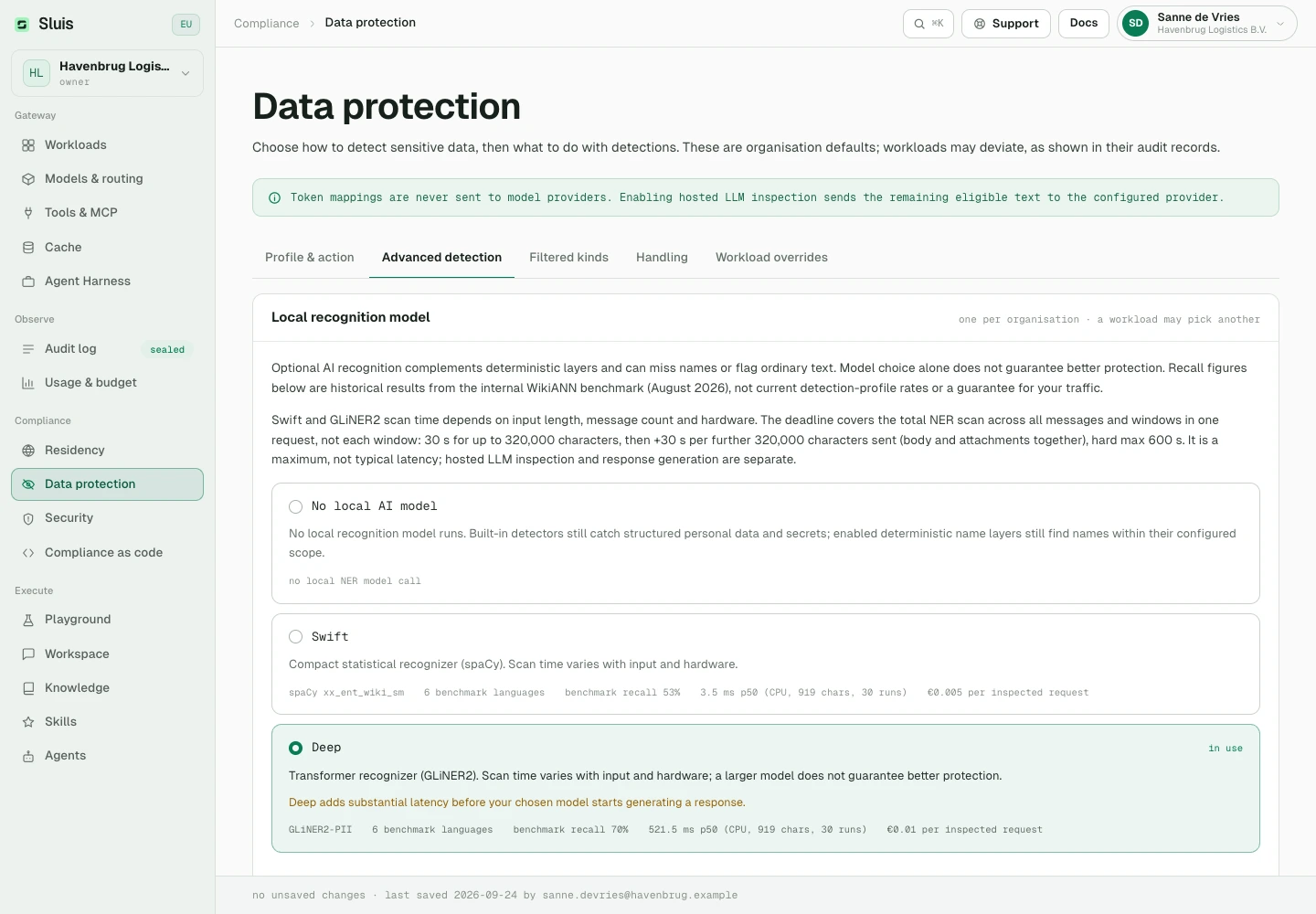
Name recognition billed per request
AI name recognition costs €0.005 per request with Swift and €0.01 with Deep, shown under Data protection. Knowledge uploads are billed at the embedding model’s price.
- Changed
Failed calls that reached the provider
When a provider times out or a streamed answer breaks off, the call is billed for the usage the provider reports, or for an estimate marked as such. Failures on our side and error responses from the provider stay free.
- Changed
Provider-side features need your own key
With Sluis’s shared keys, requests that store data at the provider, use the provider’s hosted tools or ask for premium options we cannot meter are refused. Connect your own provider key to use them.
- Changed
Safer sign-in and invitations
Signing in to the desktop app through your browser now asks you to confirm, so update older desktop apps. People who already use Sluis accept an emailed invitation before they join another organisation, and Microsoft sign-in explains what to fix when an account has no email address.
- Changed
Sluis Chat is now Sluis Workspace
The app now lives at /workspace. Old links and bookmarks take you there automatically.
- Fixed
Redaction, checks and model routes
Phone numbers written in groups are redacted whole, the scope guard and security scan refuse fewer valid requests, name recognition holds up under bursts, and managed sluis/ routes are refreshed again and move to another allowed model when your key cannot use the first.
- Fixed
Screening, limits and VAT
Text sent as form uploads and in other request formats is screened too, cached answers stay within their workload, spending limits count calls that are still running, VAT follows your confirmed VAT number, and a blocking scope guard refuses a request it cannot read.
- Fixed
Placeholders in Workspace answers
With pseudonymisation on, an answer that used a tool or followed an earlier message could show a placeholder such as «LOCATION_4», or the wrong detail, instead of what you wrote. Answers now show your own details again.
- Fixed
Workspace details
Conversation titles no longer show attachment markers, an agent no longer creates the same file over and over, answers know today’s date and no longer repeat themselves after a tool call, and Connections says a connection is not available instead of showing an error.